A card fitting the slot does not establish support for its family or capacity. Compare the device and reader manuals with the card’s actual markings.
Record exact card and host identities
Record the exact device model, any reader model and the card’s SD, SDHC, SDXC or SDUC marking. Capacity alone is insufficient; do not borrow the manual for a similarly named model.
A microSD adapter provides a physical connection but does not add card-family support to the host. If a reader sits between card and computer, check that reader’s supported families separately.
Read the card-family compatibility matrix
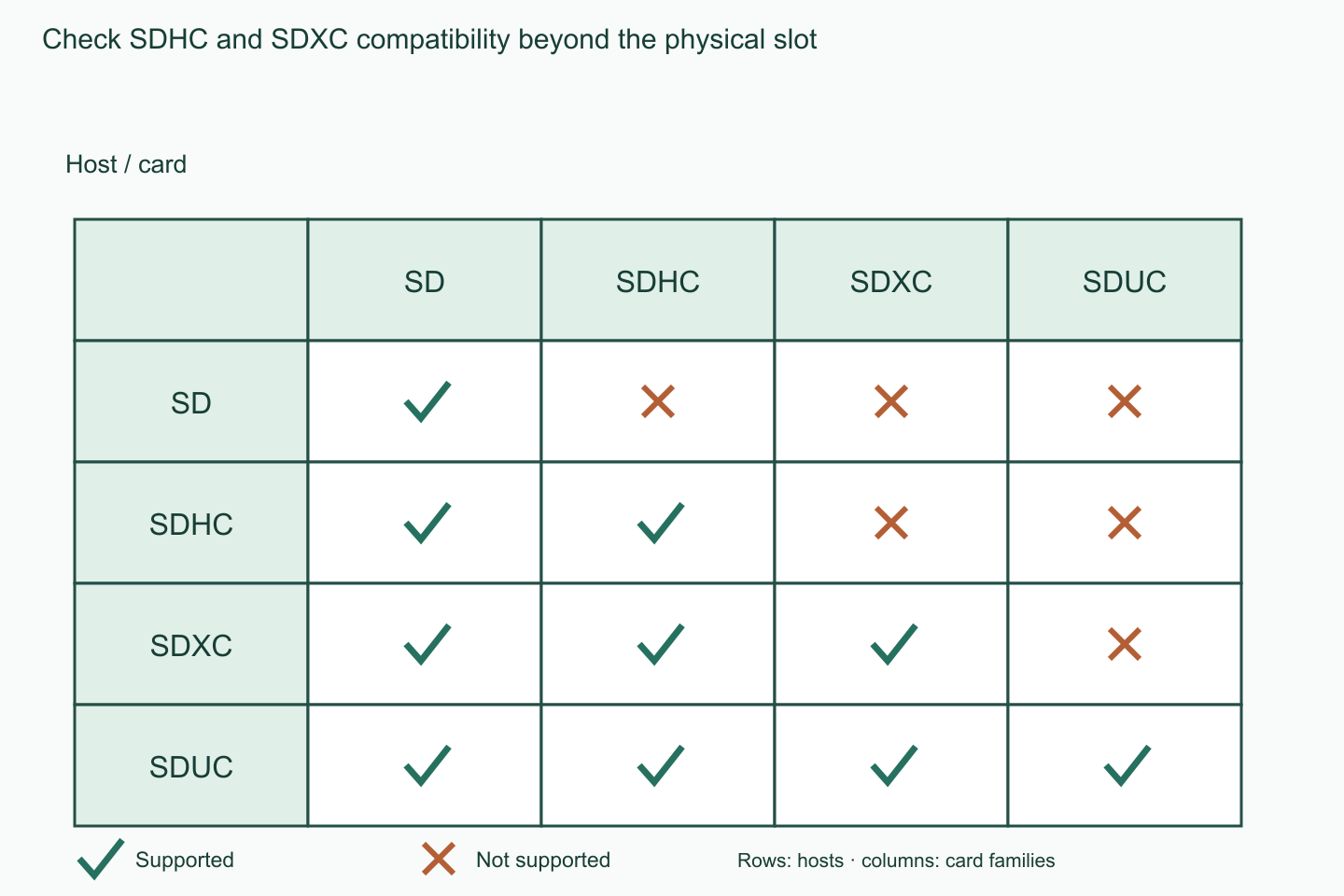
The SD Association describes hosts supporting their own family and earlier families: an SD host supports SD; SDHC supports SD and SDHC; SDXC supports those plus SDXC; SDUC supports all four.
Do not reverse that relationship. An SDXC card is not supported by an SDHC host. The matrix describes family compatibility; verify the exact model’s maximum capacity, physical format and feature conditions with its manufacturer.
| Host / card | SD | SDHC | SDXC | SDUC |
|---|---|---|---|---|
| SD | Supported | Not supported | Not supported | Not supported |
| SDHC | Supported | Supported | Not supported | Not supported |
| SDXC | Supported | Supported | Supported | Not supported |
| SDUC | Supported | Supported | Supported | Supported |
Check the model’s additional conditions
Write down supported families, maximum capacity and physical format from the manual, then compare each with the candidate card. If one device reads the card and another does not, compare both hosts independently.
Do not format a card containing data merely as a compatibility test. Preserve important data separately through a supported environment that can read it, then check the device maker’s usage instructions.
| Check | Record |
|---|---|
| Host | Exact device and reader models |
| Manual | Supported families, maximum capacity and physical format |
| Candidate | SD/SDHC/SDXC/SDUC marking and capacity |
| Separate requirement | Speed class for the recording mode |
| Decision | Matched conditions, unknowns and support question |
Separate speed and formatting questions
After family and model conditions match, check the speed required by the recording mode. V30 and U3 write-speed markings do not establish SDXC host support. A supported family also does not prove that recording-speed requirements are met.
Do not assume formatting makes an unsupported family compatible. If support is unclear, collect the exact model, complete card markings, reader information and error text for the manufacturer before buying or changing anything.
A worked example
Hypothetical example: the camera manual specifies SDHC up to 32 GB, while the candidate is SDXC 128 GB. Both family and capacity differ even if it fits. Choose a manufacturer-supported candidate; do not presume formatting or an adapter resolves compatibility.
Official sources checked
Official sources checked on 12 October 2026. Apply the cited model and market conditions. Examples are hypothetical records, not hands-on tests.